



This guide gives you a practical Facebook and Instagram ads system built around two campaign types: Acquisition (to bring in new guests nearby) and Decision (to retarget people who already showed interest and push them to book or order).
If you only do 3 things, do this
Pick one primary action (reservation, call, online order, or message) and track it.
Run 2 campaigns at the same time: Acquisition + Decision (retargeting).
Use one strong offer for weak days (Mon to Thu) and keep it consistent for 2 to 4 weeks.
Step 1: Choose the result you want (and the one metric that matters)
Restaurants usually win with one of these outcomes:
A) Reservations
Best if you have dine-in and a booking flow (OpenTable, Resy, Toast, or a website booking form).
Core metric: cost per reservation (or cost per lead if you capture booking requests)
B) Online orders
Best if you have delivery or pickup with a stable ordering page.
Core metric: cost per purchase (or cost per order)
C) Calls or messages
Best for simpler operations, catering, or when your audience likes to ask questions first.
Core metric: cost per call, cost per messaging conversation
If you are not sure, choose the most trackable option you can fulfill consistently. For many restaurants, that is online orders or message conversations.
Step 2: Setup that actually matters (do this once)
You do not need a complicated tech stack. You need clean basics.
60-minute foundation checklist
Confirm your Meta assets: Facebook Page, Instagram account, ad account
Connect Instagram to your business in Meta Business Suite
Install the Meta Pixel on your website
If possible, enable Conversions API through a partner integration
Verify your domain if you send traffic to your website
Confirm events are firing inside Events Manager
Practical tip: If your “website” is only a menu PDF on a random link, tracking will be weak. At minimum, have a simple page with:
Menu highlights (not everything, just best sellers)
Hours + location
Booking link or order link
Tap-to-call button on mobile
Step 3: Choose the right objective in Meta Ads for restaurants
Use the objective that matches your real business goal. Keep it simple:
Use Sales when you can track strong conversions
Examples:
Online order complete
Catering checkout
Reservation completed on your site
Use Leads when you want booking requests or catering inquiries
Examples:
Instant form for “Request a table”
Lead form for catering menu download + follow-up
Use Engagement when you need locals to warm up first
Examples:
Video views for a new concept
Post engagement to build social proof, then retarget engagers
Use Traffic only when you have a strong page and retarget later
Traffic alone can get clicks that do not buy. Use it mainly as a feeder for retargeting if you are early stage.
Use Awareness when you are new or reopening
Good for reach near your location, then follow with Decision ads that convert.
Step 4: Pick an offer that fills slow days without killing margin
Your offer is not “10% off because marketing”. Your offer is a reason to choose you this week.
Offers that usually work (especially Mon to Thu)
Weekday Fix: “Free appetizer Mon to Wed with 2 entrees”
Lunch Booster: “Lunch combo ready fast, limited daily”
Family Night: “Kids eat free Tuesday with adult entree”
First-Time Guest Hook: “Dessert on the house for first-time guests”
Slow Hour Fill: “Happy hour bundle 4pm to 6pm”
Offers that usually attract low-quality traffic
“50% off everything”
Confusing gift card gimmicks with too many rules
Generic “come visit us” with no reason to act
Golden rule: Run one offer for 2 to 4 weeks so the algorithm and your audience can learn it.
Step 5: Build the 2-campaign system (Acquisition + Decision)
Think of it like this:
Acquisition finds people nearby who are likely to enjoy your food.
Decision catches people who already interacted and pushes them to act now.
Campaign 1: Acquisition (new guests)
Goal: bring in new diners in your radius.
Audience (keep it simple):
Location: 2 to 6 miles around the restaurant (adjust for city vs suburb)
Age: match your concept, but do not over-filter
Start broad, refine only if needed
What to promote:
Your best seller category (not your full menu)
Your weekday offer
One clear call to action: Reserve, Order, Call, or Message
Creative direction:
6 to 10 seconds of food close-ups
1 clear text overlay: dish + offer + area
Strong first 2 seconds, no slow intros
Campaign 2: Decision (retargeting)
Goal: convert people who already showed intent.
Retargeting audiences you should build:
Website visitors (last 30 days)
Instagram engagers (last 30 to 90 days)
Video viewers (watched 25% or more)
Decision offer examples:
“Book tonight: free dessert with reservation before 5pm”
“Order now: free delivery over $35, this week only”
“Last chance: weekday bundle ends Thursday”
Copy and creative templates you can steal today
Template 1: Weekday table-fill (video or reel)
Primary text:
“Slow Tuesdays? Not anymore. This week only: free appetizer with 2 entrees, Mon to Wed. Spots fill fast after 6pm.”
Headline:
“Free Appetizer Mon to Wed”
CTA:
Reserve Now
Template 2: Online order booster (static or carousel)
Primary text:
“Craving [dish]? Order pickup in 20 minutes. Add a side for $3 today.”
Headline:
“Pickup Ready Fast”
CTA:
Order Now
Template 3: Messages for catering
Primary text:
“Feeding a group? We do catering trays for 10 to 30 people. Message us for the menu and availability.”
Headline:
“Catering Menu in DM”
CTA:
Send Message
10 quick hook ideas (text overlay)
“Best [dish] in [area]?”
“Your lunch, ready fast”
“Free appetizer this week”
“Date night done right”
“Crispy, hot, made now”
“New special just dropped”
“Order pickup, skip the wait”
“Happy hour 4pm to 6pm”
“Family night Tuesday”
“Limited batch today”
Budget that makes sense (without guessing)
Start with what you can run consistently for 30 days.
Simple budget tiers
Starter: $20 to $40/day total (70% Acquisition, 30% Decision)
Growth: $50 to $120/day total (60% Acquisition, 40% Decision)
Aggressive: $150+/day total (test more creatives, add seasonal or catering campaign)
Important: Do not change everything every day. Give each change 3 to 5 days to stabilize unless performance is clearly broken.
Weekly optimization routine (15 minutes, once a week)
1) Kill obvious losers
Pause ads that have:
Clearly higher cost per result than the others
Low click-through plus no saves, shares, or meaningful engagement
Repeating negative comments about the same issue (price, service, quality)
2) Duplicate winners
Take the best performer and create one new version:
New first 2 seconds of video
New hook text overlay
Same offer, same audience
3) Refresh your Decision ads
Each week, update the Decision ad with:
Urgency (ends Thursday, limited spots, last chance)
Social proof (busy nights, best seller, popular combo)
One clean CTA (Reserve or Order)
Common mistakes restaurants make (and how to fix them)
Running only one campaign
Fix: always run Acquisition + Decision togetherNo tracking, no signal
Fix: install Pixel, confirm events, use Conversions API if possibleWeak offer
Fix: build a weekday offer that protects margin and is easy to understandOver-targeting
Fix: start broad near your location, let the algorithm learnChanging everything too often
Fix: change one variable at a time
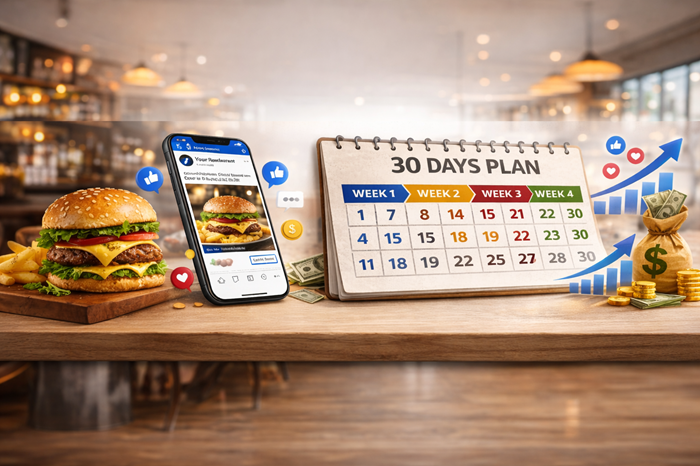
Copy-paste 30-day launch plan (restaurant version)
Week 1: Foundation + assets
Day 1: choose ONE goal (reservations, orders, messages)
Day 2: Pixel install + event check
Day 3: build Acquisition campaign draft
Day 4: build retargeting audiences (website, IG engagement, video viewers)
Day 5: film 6 short clips (6 to 10 seconds each) of top dishes
Day 6: write 3 ad copies (use templates above)
Day 7: launch both campaigns
Week 2: Stabilize + first optimizations
Pause 1 to 2 worst ads
Duplicate the best ad and change only the hook
Tighten your offer wording (make it clearer, not cheaper)
Week 3: Add a second offer angle
Keep the main offer
Add a second angle: lunch, family night, happy hour, or catering
Week 4: Scale what is working
Increase budget slowly on winners (10% to 20% increases)
Refresh Decision ad with urgency
Record results and lock in a repeatable system
FAQ
Do Facebook ads still work for restaurants in 2026?
Yes, especially locally, because you can target by radius and retarget website and Instagram engagement, as long as you use the right objective and a strong offer.
Should I run ads on Facebook or Instagram?
Run both placements unless you have a strong reason not to. Most restaurants benefit from Instagram for food visuals and Facebook for local reach.
What is better for restaurants: Leads or Sales?
Use Sales if you can track purchases or strong conversions. Use Leads if you need booking requests, catering inquiries, or a form-driven flow.
How big should my targeting radius be?
Start with 2 to 3 miles in dense cities and 5 to 8 miles in suburbs. If you are a destination restaurant, expand gradually.
How many creatives do I need?
Minimum: 3 ads per campaign (6 total). Ideal: 6 to 10 short videos in rotation.
Can I run message ads for catering?
Yes, but you must respond fast, set expectations, and make the conversation worth starting.
Conclusion
If you want the simplest version of this system, build it as Acquisition + Decision, keep one strong weekday offer for 30 days, and refresh only the hook and the first seconds of the creative each week.
Do that consistently and your ads stop feeling like “marketing” and start acting like a predictable sales lever for your restaurant.